Calvin: Cross-platform AI Tab Manager
AI-powered tab management that turns 47 open tabs into an organized knowledge base — in one click.
Overview
An AI-native Chrome extension that captures everything you encounter online and organizes it intelligently — so you can finally close those 47 tabs. Built end-to-end with Claude Code as a multi-platform product: Chrome extension, web dashboard, and iOS app.
The Problem
Every open tab represents something you haven't decided about yet — a half-read article, a tool you might need, a conversation you want to return to. Browser tabs have become the junk drawer of modern knowledge work.
The average knowledge worker has 20-40 tabs open at any time, not because they need them all, but because closing a tab means trusting you can find it again. And most tools make that trust impossible.
A false choice between chaos and labor
Existing tools force users into two failure modes: organize nothing and drown in chaos, or organize manually and drown in maintenance.
One click to capture. AI handles the rest. Calvin has full access to every open tab and organizes them automatically — no folders to maintain, no permissions dance, no manual tagging. It brings Claude's intelligence to the mundane task everyone faces: making sense of 100+ tabs of research, shopping, articles, and half-finished conversations.
Calvin: the third way
What if you could have the delightful one-click capture of mymind, with the organizational depth your brain actually needs — but the AI handles all the organizing?
Calvin is built on a simple principle: humans should capture, AI should organize. Save anything in one click. Close your tabs with confidence. When you need something, it's exactly where your brain expects it to be — because the AI learned your patterns.
Capture should feel like relief
The moment of capture is the product's most critical interaction. If saving a tab feels like work, people won't do it. Calvin had to make capture feel like closing a mental loop — the satisfaction of knowing something is handled.
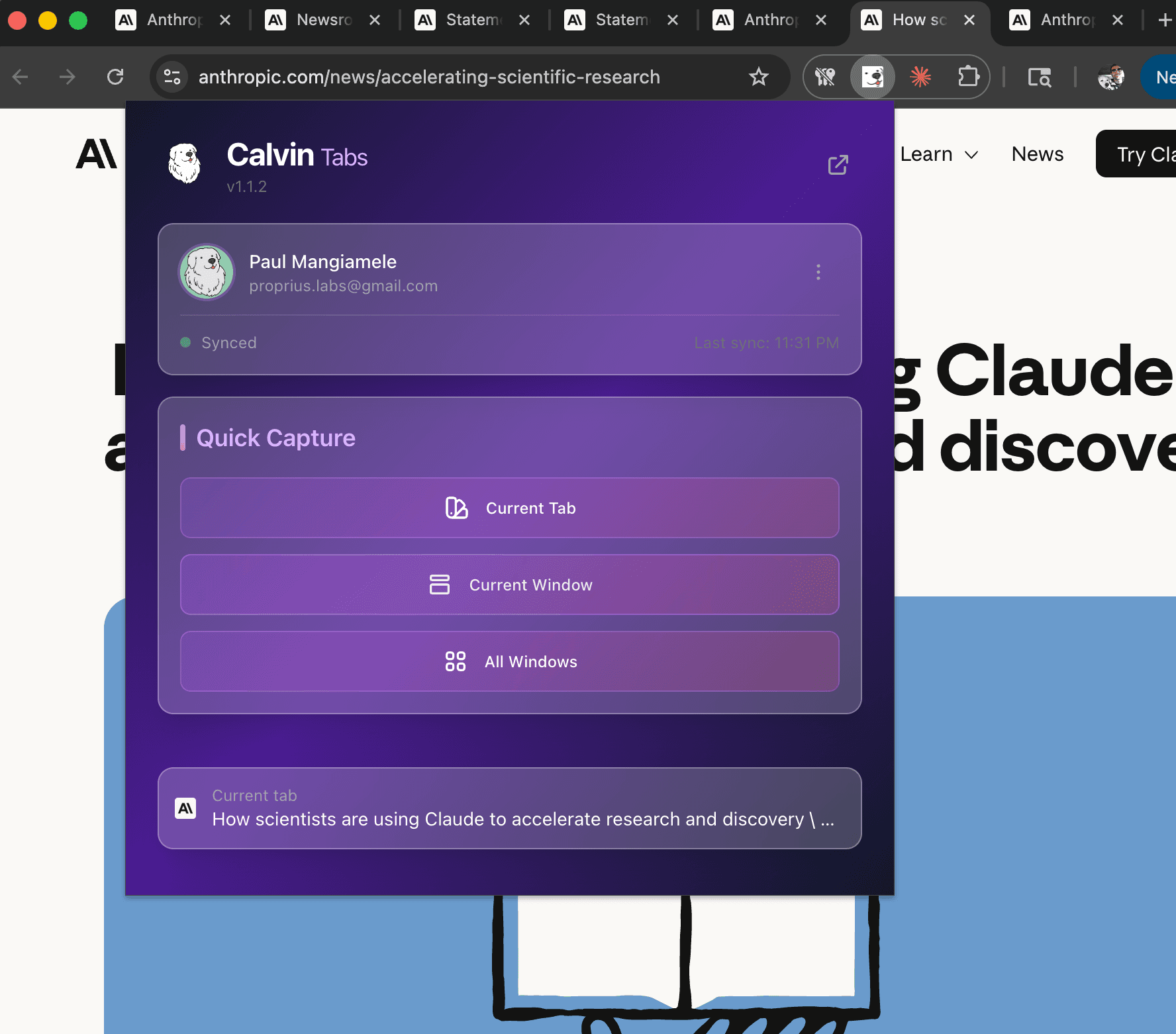
Glassmorphism popup with one-click capture for tab, window, or all windows
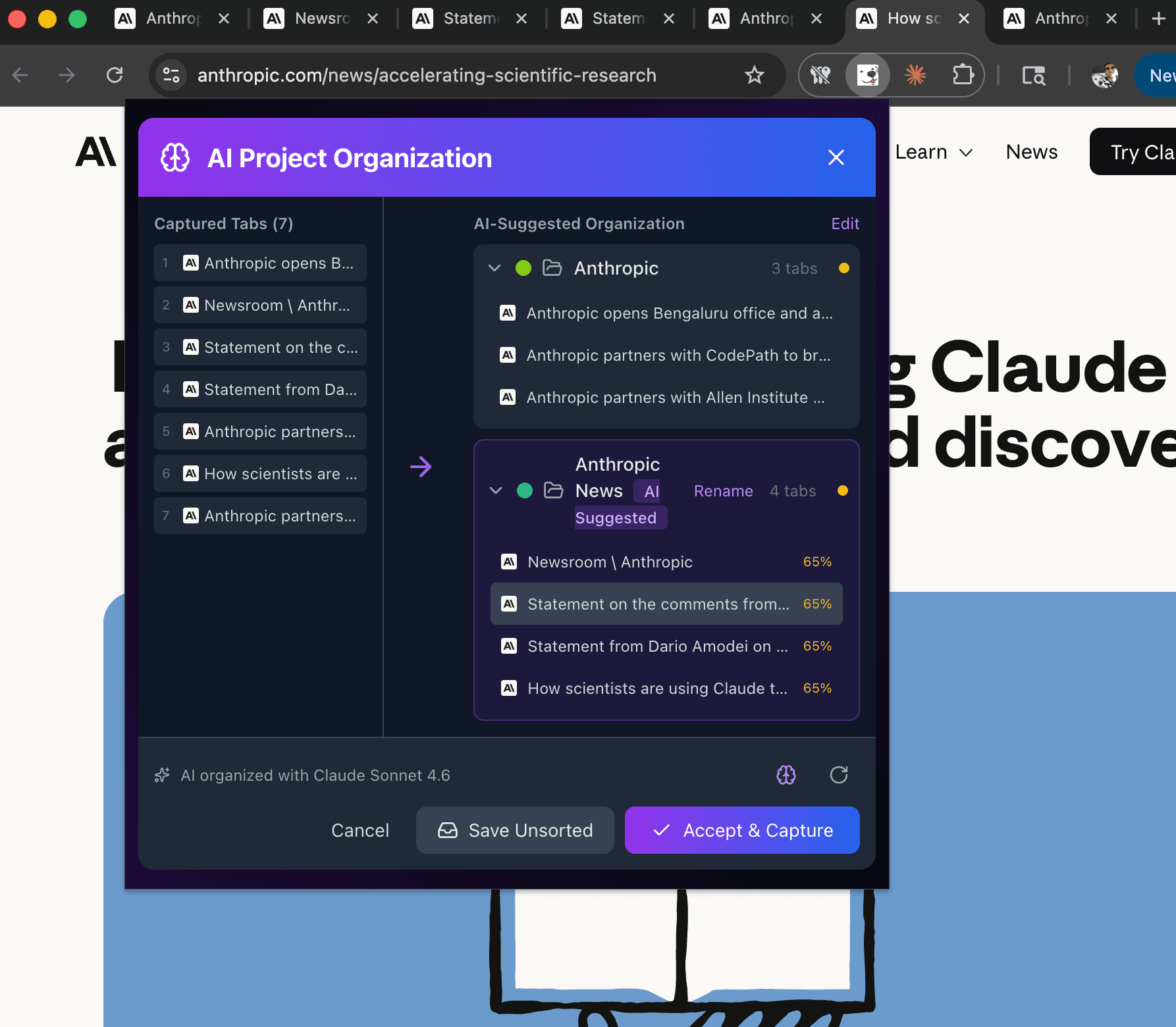
Real-time AI organization and project suggestion before save
Multi-platform, single brain
Calvin operates across Chrome, web, and iOS — but shares a single AI engine that understands your complete digital context regardless of where you captured it.
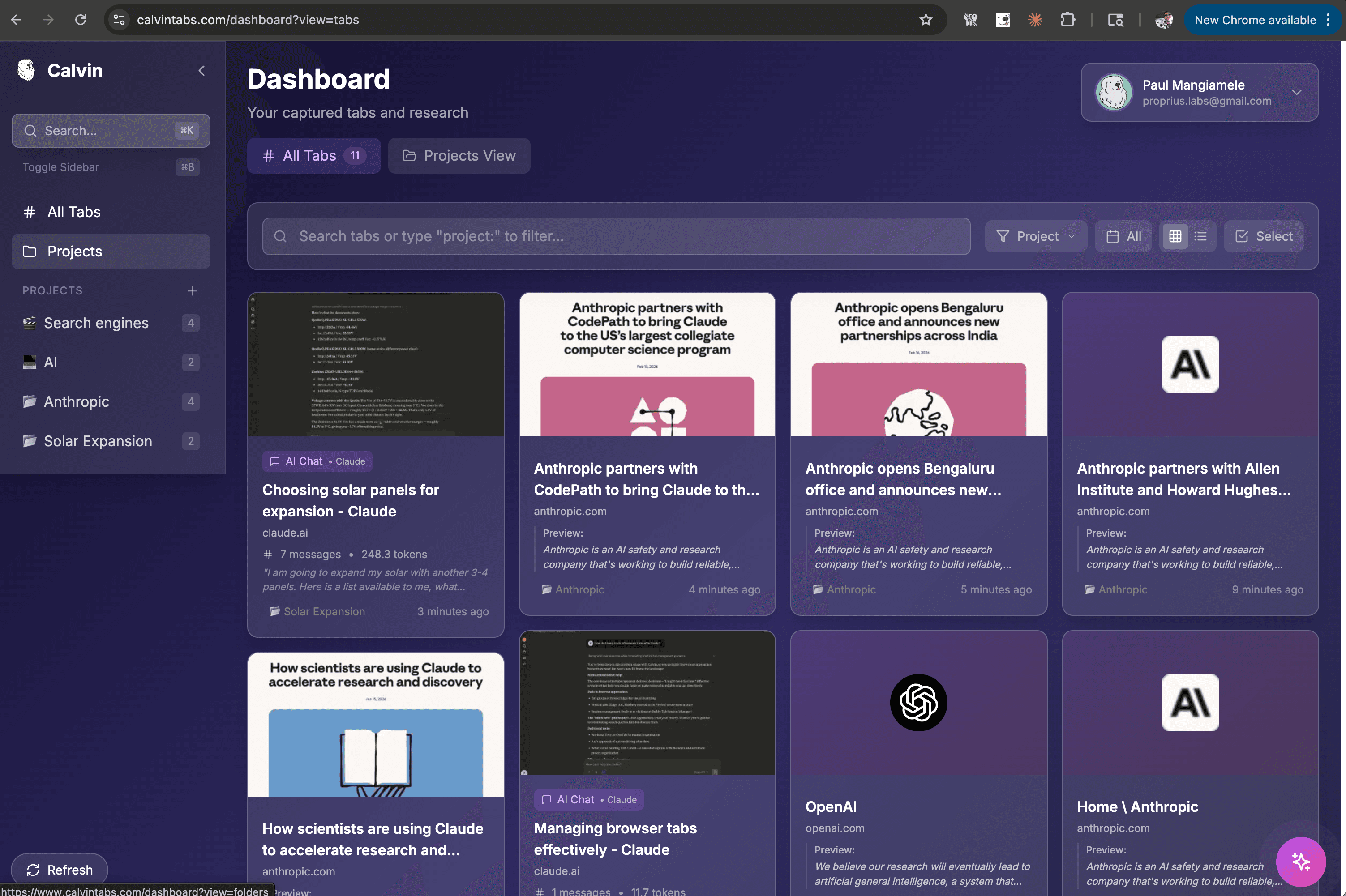
All Tabs view with AI-enhanced titles, previews, and project tagging
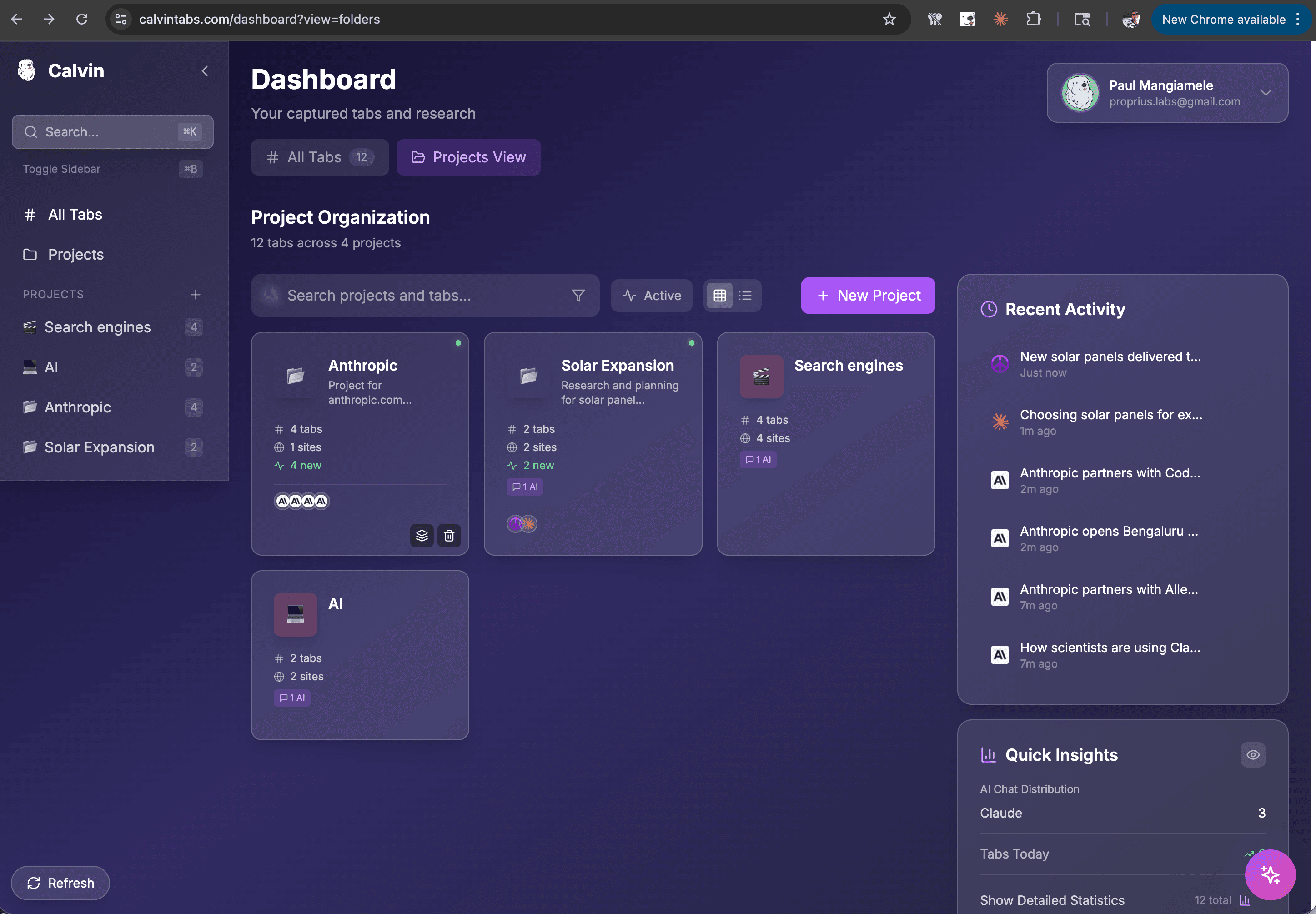
Projects view with activity feed, quick insights, and AI-organized folders
The intelligence that makes it work
Calvin's AI engine is the connective tissue across all platforms. Powered by Claude API, it transforms raw tab captures into organized, searchable, enhanced knowledge — automatically.
Untitled - Figma→E-commerce Checkout Flow — FigmaNew conversation→Stripe Webhook Integration — Claudelocalhost:3000→Store App — Dev Server (Next.js)1706.03762.pdf→Attention Is All You Need — Vaswani et al.Tabs are just the beginning
Calvin is the first product in a constellation of AI-native tools. By starting with tabs — the most universal pain point in knowledge work — we're building the foundation for something much larger: AI that understands who you are as an individual.